Connect your own domain
A premium feature from QRcode.me: use your own domain name as the scan URL and make your dynamic QR codes completely your own.
What is it?
Normally a dynamic QR code uses one of our scan domains. Connect your own domain and your dynamic codes resolve through your domain name instead — the most professional way to brand a QR code and keep full control of where it points.

Why is it useful?
Advantages
- Your own domain as the scan URL builds trust with your audience
- You stay in control — your codes are not tied to a platform domain
- A free SSL certificate is issued automatically
Requirements
- An active premium QRcode.me plan
- A domain or subdomain you own
- Access to your domain’s DNS settings
How does it work?
Step 1 — Point your domain with a DNS record
In your domain provider’s dashboard, add a DNS record for the (sub)domain you want to use:
- A CNAME record pointing to
qrcode.me, or - An A record pointing to the IP address shown in your dashboard
Step 2 — Add your domain in your account
- Open the Domains page in your QRcode.me account.
- Add the domain you just pointed.
- We check the DNS automatically and issue a free SSL certificate — this can take a little while to propagate.
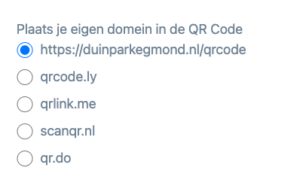
Step 3 — Select it as your scan URL
When you create or edit a dynamic QR code, choose your own domain as the scan URL. Done — your codes now resolve through your own domain.