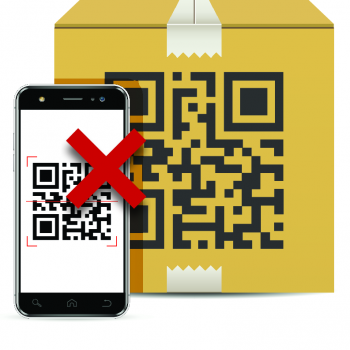
If scanning a QR code won't work the quality of the QR code can be too low, the used phone can be too old, or there can be other causes.
QR-codes can fail to work for multiple reasons. In this blog you will find solutions for the top 10 causes that make QR-codes malfunction.
For nearly every phone, an app like QR & Barcode scanner is not required to scan QR-codes. QR-code scan apps show ads, and in some instances they don't work at all. The camera app on your phone can be used by nearly all phones to scan QR-codes.
QR & Barcode Scanner app
When your operating system is lower than Android 9.0, it is a little harder to scan QR-codes. These old operating systems are only present in phones from 2018 or earlier. They cannot scan QR-codes via the camera app, and are thus the exception to number 1 from this list. With Android 8.0 you can scan QR-codes using Google Lens.
It sounds straightforward, but this happens very often. A QR-code links to a page. When the URL of this page has not been entered correctly, the QR-code doesn't 'work'. This is not really a QR-code that doesn't function, but is rather data that has not been filled in correctly.
E.G.:
https://:wikipedia.org , or
htps://wikipedia.org, instead of https://wikipedia.org
When data has not been entered correctly in a QR-code, you are also not linked to the landing page.
If there is too little contrast between the two chosen colors for the QR-code, it becomes tough for a phone to read the blocks in the QR-code. This means the QR-code cannot be scanned. If this is the case: choose a color combination with more contrast!
Because of the low contrast, this QR-code cannot be scanned.
If one of the corners are not visible when scanning, the QR-code often fails to work as usual. The phone uses the corners to recognize a QR-code as such. If it's not visible the QR-code can therefore not be scanned.
In the image above the corners aren't visible. Try to scan it yourself!
When a QR-code is vague on screen or paper, it is possible that it can't be recognized by a camera anymore. Try to depict QR-codes as clearly as possible.
A vague QR-code like this one, cannot be scanned. Try it out!
When a QR-code is too small, it can be difficult for a camera to pick up the blocks in the QR-code. Many agree that the minimum size for a QR-code is 1x1 cm. In reality however, it depends on scanning distance, and how much data is in the QR-code (and thus how many blocks). Read more.
This QR-code contains a lot of data, and cannot be scanned with this size.
This one contains less data, and can be scanned with a size of 1x1 cm.
If there is a lot of information (data) in the QR-code, it automatically also contains a lot of 'blocks'. When this gets out of control, it can mean the QR-code can't be scanned anymore. In this case, try to reduce the amount of entered date, by shortening the URL for example.
This QR-code contains much data, which is why it can't be scanned. Try it out!
At many banks, there are possibilities to log in online, by scanning a QR-code. It is a safe and quick way to log in.
But, the QR-code scanners in these apps are only meant for this purpose. They can't scan any other QR-code than the 'bank login' QR-codes. For scanning other QR-codes, you will have to use the camera app.
It's possible to log in through a QR-code on the bank app of your phone.
At some websites, if you generate dynamic QR-codes, the QR-code is blocked by the QR-code generator after some time. This only works with dynamic QR-codes, as the generator can stop the 'redirecting' page from sending visitors to the landing page. Some generators demand money for QR-codes to work indefinitely. To avoid this, you could use static QR-codes, or you could create dynamic QR-codes at our website. Our static and dynamic QR-codes never expire.